Property Groups
In addition to the standard fields, MRI Evolution allows system wide Property Groups to be defined as extra storage space for information against records across the system. The areas that may have Properties defined against them are selected in the Table Register and should be set up by the System Administrator.
Settings > General > Property Groups
The link will open the Property Groups Grid. It is a grid view which can be searched, sorted and customised as normal.
To add a new Property Group click New  , to edit an existing Property Group click Edit
  . A pop up window will appear which will allow the creation or amendment of a Property Group.
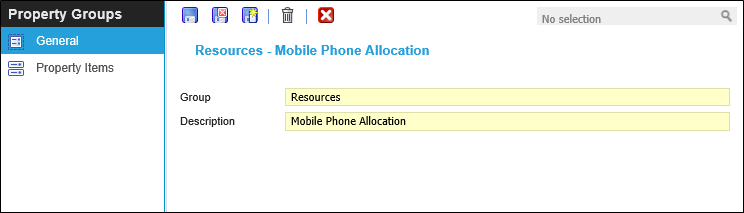
 Click to view - Property Group Fields and Descriptions
Complete the fields and click Save  . Once the Property Group header has been completed and saved a sub menu will appear to allow additional entities to be created.
These include:
- Property Items
Property Items
Click to view more detail.
Property Items allow the User to create the list of values for the Property group to hold.
Settings > General >Property Groups - Property Items
The link will open the Property Group / Property Item Grid. It is a Grid view that can be customised and sorted as normal.
To add a new Property Item click New , to edit an existing Property Item click Edit .
Once the Property Group has been created it can be assigned to Entities for more information see Assign Property Groups.