Advanced Helpdesk - SLA Times
The SLA Times sub navigation on the Advanced Helpdesk shows the SLA Times against the Task and any User Defined SLA times can be entered here.
Up to 5 different SLA Targets can be set for Tasks:
|
Target |
Description | Intended Audience | Met by |
|---|---|---|---|
| Respond | Date and time that a helpdesk operative or despatcher should assign the Task to a Resource | Helpdesk/Despatch Team | Earliest Date Contacted on assigned Time Records |
| Attend | Date and time that an assigned Resource should attend site to investigate the Task | Assigned Resource | Earliest Date Started on assigned Time Records |
| Contain | Date and time that an assigned Resource should implement a temporary fix to contain the issue and make it safe | Assigned Resource | Earliest Date Contained on assigned Time Records |
| Fix | Date and time that assigned Resources should record that they have finished work on the Task and the Task is complete | Assigned Resource | Latest Date Finished on assigned Time Records |
| User | A spare SLA Target that can be set and met according to your requirements | Variable | Entered manually in the User field of the SLA Times sub-navigation page in the Advanced Helpdesk |
Task Management > Advanced Helpdesk - SLA Times
The link will open the Advanced Helpdesk SLA times.
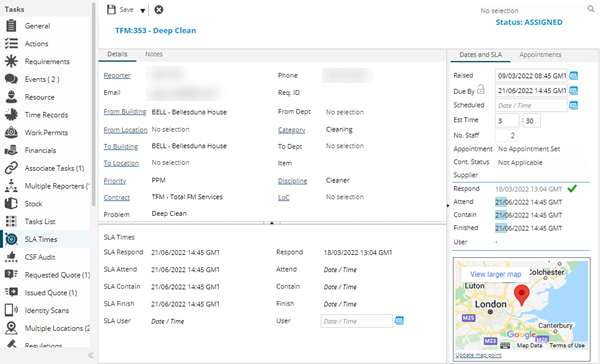
If User Defined SLAs (Service Level Agreements) have been set against the Task, the time when this was completed can be entered here.
Complete the fields and click Save and Close  .
.